Missing Receipt Software for Accountants: Capture Tools vs Chasing Tools
Firms routinely buy the wrong one of these, and it is not carelessness: the marketing language across all three categories is close to identical, and most of them say “stop chasing clients” somewhere on the homepage.
This page gives you a framework for telling them apart, a checklist that discriminates between them, and a decision tree that ends in a category rather than a product.
Short answer
“Missing receipt software” describes two jobs that are almost opposites. Capture tools take documents you already hold and turn them into coded ledger entries. Chasing tools get hold of documents that do not exist in your systems at all. A capture tool cannot help with a receipt nobody has sent you, and a chasing tool will not save you a minute if the paperwork already arrives on time.
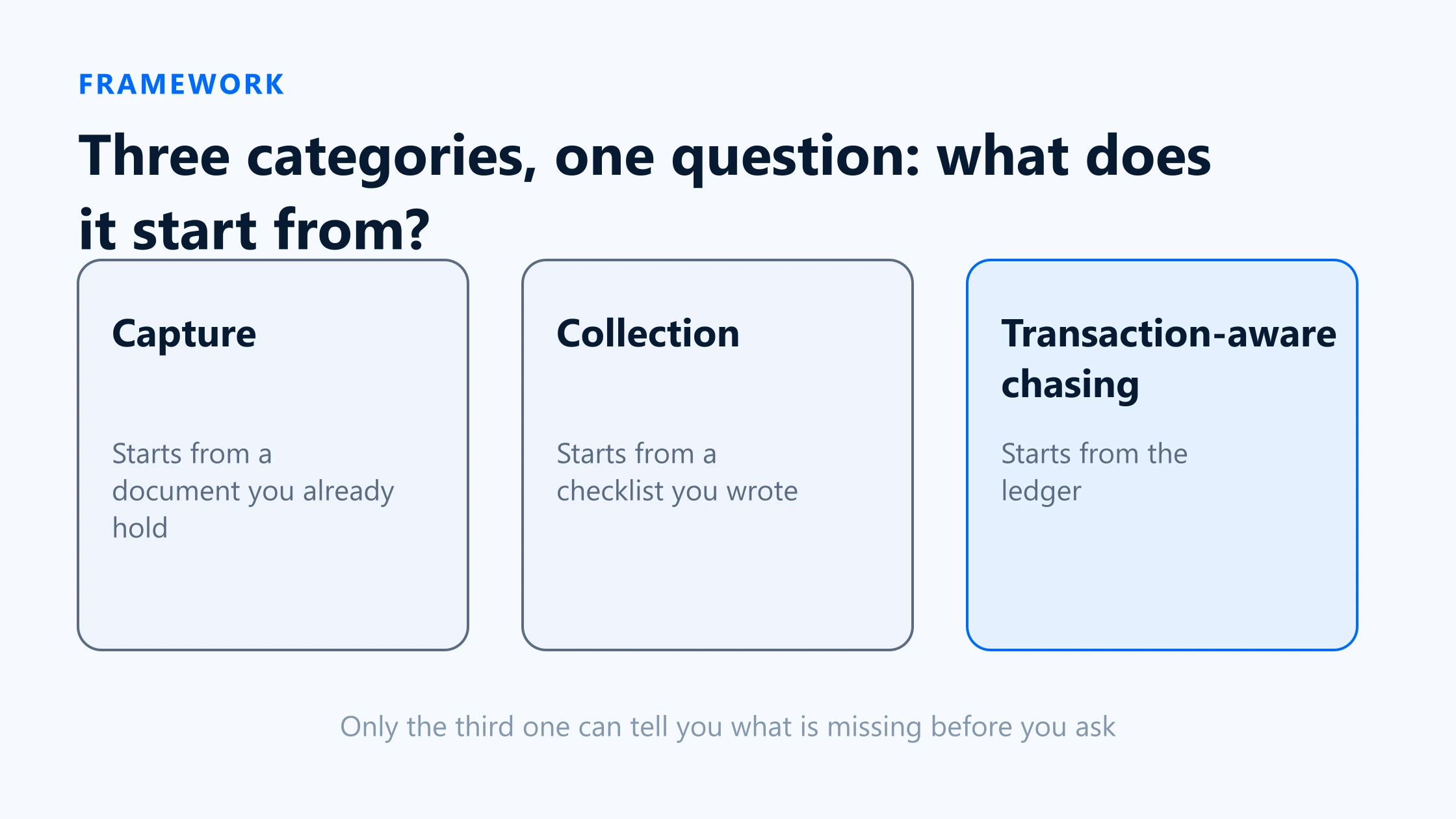
In practice there are three categories, not two: capture, general collection, and transaction-aware chasing. The right purchase depends on one question — at which of those three points does your month actually stall?
Why “receipt software” means two jobs
Put a missing receipt on a timeline and the two jobs separate cleanly. Everything to the left of “the document reaches the firm” is collection. Everything to the right is processing.
| Attribute | Before the document arrives | After the document arrives |
|---|---|---|
| The problem | A transaction is posted and there is no supporting document anywhere. | A document exists but its data has to be read, coded and filed. |
| The bottleneck | The client, and your ability to reach them. | Keying, accuracy and volume. |
| Who does the work | Someone at the firm sending messages and tracking who replied. | Someone at the firm typing, or OCR doing it for them. |
| What good looks like | Fewer rounds, faster completion, fewer open items. | Fewer keystrokes, higher extraction accuracy. |
| What it is called | Collection, chasing, document requests. | Capture, extraction, pre-accounting. |
The problem
- Before the document arrives
- A transaction is posted and there is no supporting document anywhere.
- After the document arrives
- A document exists but its data has to be read, coded and filed.
The bottleneck
- Before the document arrives
- The client, and your ability to reach them.
- After the document arrives
- Keying, accuracy and volume.
Who does the work
- Before the document arrives
- Someone at the firm sending messages and tracking who replied.
- After the document arrives
- Someone at the firm typing, or OCR doing it for them.
What good looks like
- Before the document arrives
- Fewer rounds, faster completion, fewer open items.
- After the document arrives
- Fewer keystrokes, higher extraction accuracy.
What it is called
- Before the document arrives
- Collection, chasing, document requests.
- After the document arrives
- Capture, extraction, pre-accounting.
Capture, collection and transaction-aware chasing
Category 1 — Capture
Starts from: a document that already exists somewhere.
The client photographs a receipt, forwards an invoice email, or drops a PDF in. The tool extracts supplier, date, totals and tax, applies rules, and publishes a coded entry to the ledger. Dext is the archetype: capture by app, email, WhatsApp or desktop, line-item extraction, supplier rules, duplicate detection and auto-publish, with a two-way Xero sync.
What it does not solve:the client who sends nothing. Capture tools are demand-driven — they process what arrives. Many now include a “missing paperwork request” feature, and Dext lists one in its practice plan, but that is a secondary function bolted to a product whose centre of gravity is extraction.
Category 2 — General collection
Starts from: a checklist you wrote.
You build a request — a form, a questionnaire, a list of documents — and send it to the client. The tool handles reminders, tracks who has responded, and lets you approve or reject individual items. Content Snare is the strongest example in accounting: unlimited clients and reminders, template libraries, a drag-and-drop builder, item-level rejection with comments, and — importantly — clients do not need to create an account.
What it does not solve:knowing what to put on the checklist. These tools are ledger-blind by design, which is also what makes them flexible enough for onboarding packs and year-end questionnaires. Content Snare’s integration list includes Xero Practice Manager for importing clients, but that is client data, not transactions; QuickBooks does not appear on it at all.
Category 3 — Transaction-aware chasing
Starts from: the ledger.
The tool connects to the accounting system, finds posted transactions with nothing attached, and generates the request from that list. Because each item is a real transaction, the document can go back onto it when it arrives. BilagPilot and Chazy both sit here; QuickBooks’ own Requests feature is a partial member, anchored on bank transactions.
What it does not solve: anything that is not a transaction. Engagement letters, ID documents, a signed set of accounts — none of these correspond to a ledger entry, so a transaction-aware tool has nothing to hang them on. This is a real limitation, not a quibble, and it is why plenty of firms correctly run a category-two tool alongside.
Feature checklist for firms
Twelve questions that separate the categories. Ask them in a demo and the answers place a product immediately, whatever the homepage says.
| Attribute | Capture | Collection | Transaction-aware chasing |
|---|---|---|---|
| Where does the list of what is missing come from? | There is no list. It processes arrivals. | A template you wrote. | The ledger, on a schedule. |
| Does it read transactions from the ledger? | Reads the chart of accounts to code entries. | Usually not. Client lists at most. | Yes — that is the defining property. |
| Can a client respond without an account? | Usually needs the app or a submission address. | Often yes. | Varies. Worth asking directly. |
| Are reminders automatic and escalating? | Rarely a core feature. | Yes, typically strong. | Yes. |
| Can you reject one item with a reason? | You reject a whole document. | Yes, item level. | Yes, and it reopens the item. |
| Does the file land on the transaction? | It becomes the transaction. | No. It lands in the tool or a drive. | Yes, attached to the existing entry. |
| Does it extract data with OCR? | Yes, this is the product. | No. | Sometimes, for matching rather than coding. |
| Does it choose accounts or tax codes? | Yes, with rules and AI. | No. | Depends on the product and integration. |
| Does it post entries? | Yes, publishing is the endpoint. | No. | Depends on the product and integration. |
| Is there a cross-client queue? | Usually, as a practice dashboard. | Yes. | Yes. |
| Can it handle non-transaction documents? | Not meaningfully. | Yes — its main strength. | Poorly. Nothing to attach them to. |
| What does it prove afterwards? | What was published and when. | Who was asked and what they returned. | Who was asked, how often, what they said, and where the file went. |
Where does the list of what is missing come from?
- Capture
- There is no list. It processes arrivals.
- Collection
- A template you wrote.
- Transaction-aware chasing
- The ledger, on a schedule.
Does it read transactions from the ledger?
- Capture
- Reads the chart of accounts to code entries.
- Collection
- Usually not. Client lists at most.
- Transaction-aware chasing
- Yes — that is the defining property.
Can a client respond without an account?
- Capture
- Usually needs the app or a submission address.
- Collection
- Often yes.
- Transaction-aware chasing
- Varies. Worth asking directly.
Are reminders automatic and escalating?
- Capture
- Rarely a core feature.
- Collection
- Yes, typically strong.
- Transaction-aware chasing
- Yes.
Can you reject one item with a reason?
- Capture
- You reject a whole document.
- Collection
- Yes, item level.
- Transaction-aware chasing
- Yes, and it reopens the item.
Does the file land on the transaction?
- Capture
- It becomes the transaction.
- Collection
- No. It lands in the tool or a drive.
- Transaction-aware chasing
- Yes, attached to the existing entry.
Does it extract data with OCR?
- Capture
- Yes, this is the product.
- Collection
- No.
- Transaction-aware chasing
- Sometimes, for matching rather than coding.
Does it choose accounts or tax codes?
- Capture
- Yes, with rules and AI.
- Collection
- No.
- Transaction-aware chasing
- Depends on the product and integration.
Does it post entries?
- Capture
- Yes, publishing is the endpoint.
- Collection
- No.
- Transaction-aware chasing
- Depends on the product and integration.
Is there a cross-client queue?
- Capture
- Usually, as a practice dashboard.
- Collection
- Yes.
- Transaction-aware chasing
- Yes.
Can it handle non-transaction documents?
- Capture
- Not meaningfully.
- Collection
- Yes — its main strength.
- Transaction-aware chasing
- Poorly. Nothing to attach them to.
What does it prove afterwards?
- Capture
- What was published and when.
- Collection
- Who was asked and what they returned.
- Transaction-aware chasing
- Who was asked, how often, what they said, and where the file went.
Choose by bottleneck
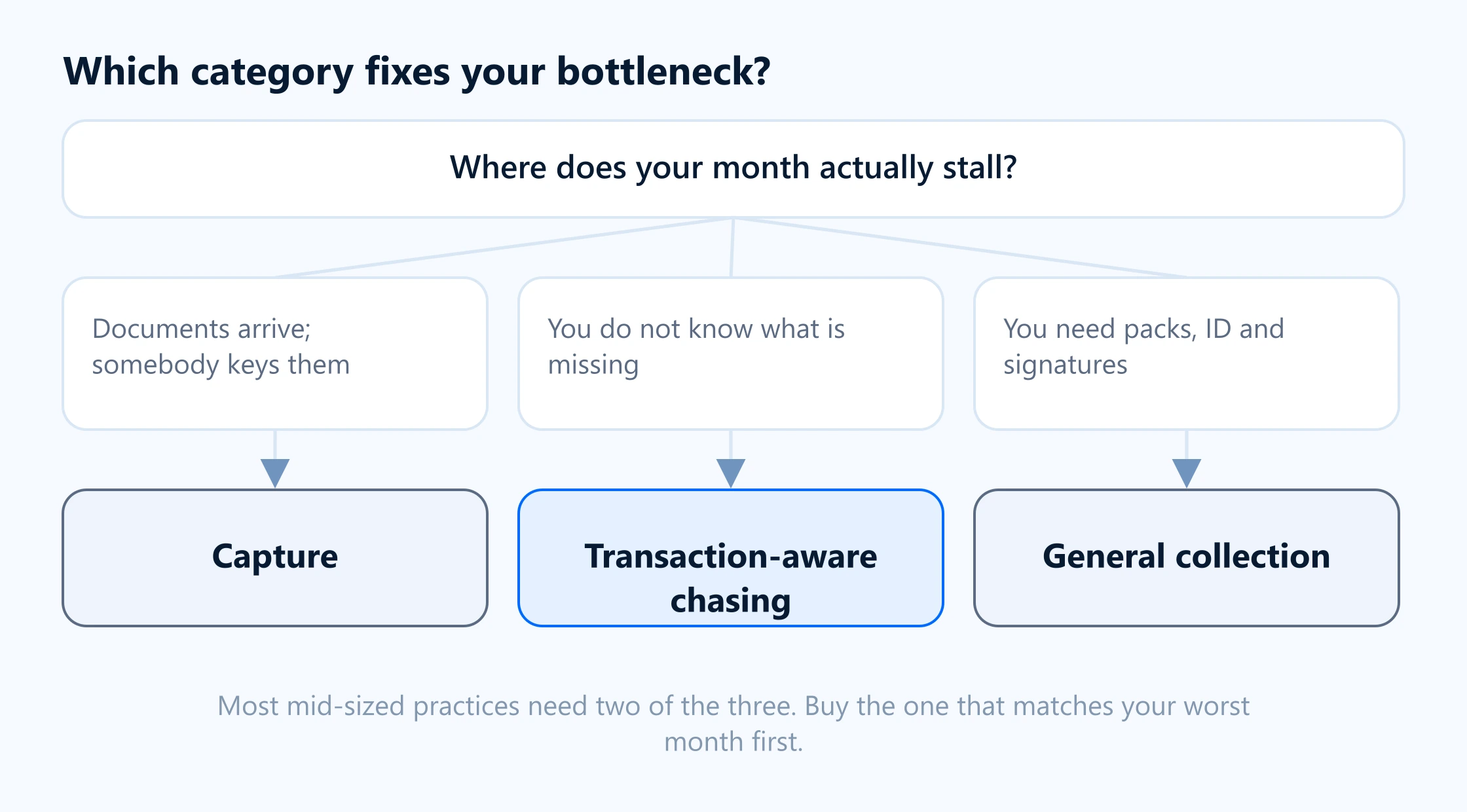
Work through this in order. Stop at the first one that describes your month.
- Documents arrive, but somebody is keying them. Your bottleneck is processing. Buy capture. A chasing tool will change nothing, because nothing is missing.
- Documents arrive, but for the wrong things, or in the wrong months. Your bottleneck is the request being vague. Buy transaction-aware chasing, or fix the request wording first and see whether that is enough.
- You spend the first week of every month working out what is even missing. Your bottleneck is detection. Only transaction-aware chasing addresses this. Neither of the other two categories can.
- You know what is missing; the client just does not reply. Your bottleneck is cadence and access. Either collection or transaction-aware chasing works; pick on whether you also need the file-back.
- Your collection problem is onboarding, ID, engagement letters and signatures. Buy collection. A transaction-aware tool has nowhere to put any of those.
- All of the above. Most mid-sized practices genuinely need two of the three, and the common pairing is a capture tool plus something for the gaps. Buy the one that matches your worst month, run it for a quarter, then reassess.
Sources
Everything on this page that describes another company’s product, or a rule set by HMRC, comes from that organisation’s own published material. Each entry below records the date this page last checked it, because these change without notice.
- Dext on the Xero App Store — capture, missing paperwork request, auto-publish
Xero App Store · checked 17 August 2026
- Content Snare pricing — plans, active requests, unlimited reminders
Content Snare · checked 17 August 2026
- Content Snare integrations — Xero Practice Manager, FYI, Zapier
Content Snare · checked 17 August 2026
- Request more information on a transaction (updated 5 August 2026)
Intuit QuickBooks Support · checked 17 August 2026
- Chazy on the Xero App Store — unreconciled transactions, OCR, delivery to Xero
Xero App Store · checked 17 August 2026
Keep reading
Client Document Collection Software Compared
The named products in each category, side by side on nine workflow attributes with sources.
Read itMissing Receipt Chasing Cost Calculator
Quantify the bottleneck before you buy anything. Hours, cost and break-even from your own numbers.
Read itXero Client Chasing Software
What the chasing category has to cover, and how much of it Xero already does natively.
Read itQuickBooks Missing Receipt Software
The same question for QuickBooks Online, where native Requests covers considerably more than it used to.
Read itIf your bottleneck is category three
BilagPilot helps firms find and collect missing accounting documents. It finds the posted transactions with nothing attached in QuickBooks Online, Xero, Sage Accounting or FreeAgent, chases the client without a login, and files the approved document back.
No card required. Nothing is charged automatically.