Missing Receipt Chasing Cost Calculator for Accounting Firms
The output is only as good as the inputs, and most firms have never measured them. There is a section below on how to get real numbers in a fortnight rather than guessing, and one on the limits of the benchmark figures we publish about our own product.
Short answer
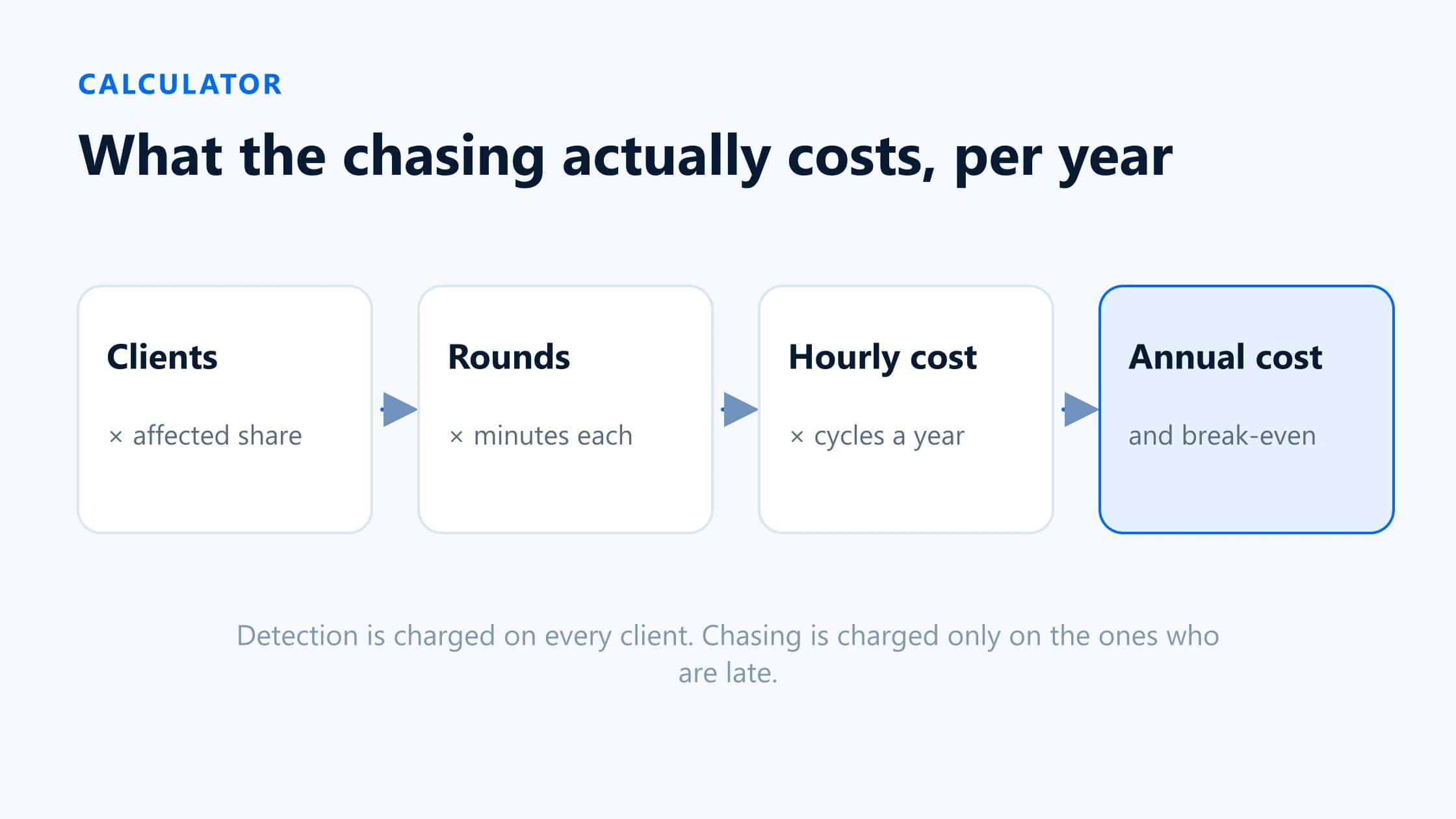
Chasing costs are almost always underestimated, for one structural reason: the visible part is sending messages, but the expensive parts are detection — working out what is missing before anyone is contacted — and filing what comes back. Both are charged against every client, not just the ones who are late.
The calculator below takes clients, the share affected, rounds, minutes, hourly cost, frequency and software cost, and returns hours and cost per cycle and per year, the saving at a reduction rate you choose, and the break-even point. It runs in your browser; nothing is sent anywhere.
Calculate your cost
Your numbers
Share with at least one missing document in a typical cycle.
How often you run this cycle.
Working out what is missing, per client, before anyone is contacted.
Messages sent per affected client before the request closes.
Writing, sending, reading the reply, filing the document.
Internal cost, not your charge-out rate.
This is an assumption, not a measurement. Start pessimistic. Detection and filing automate almost completely; the client’s response time does not automate at all.
Results
Hours per month
16.1
27 affected clients
Cost per month
£725
Hours per year
193.2
12 cycles
Cost per year
£8,694
Internal staff cost of chasing
Saved per year
£5,216
115.9 hours returned
Net of software
£3,776
After £1,440 a year
Break-even
At £1,440 a year, a tool has to remove 16.6% of your current chasing time to pay for itself — equivalent to 2.7 minutes saved per client per month, at £45 an hour.
That is a low bar. The main risk here is not the arithmetic — it is whether the tool actually gets adopted.
Show the arithmetic
Minutes per month = (60 clients × 8 detection minutes) + (27 affected × 3 rounds × 6 minutes)
Cost per month = hours × £45
Per year = per month × 12
Break-even share = software per year ÷ chasing cost per year
Detection is charged against every client rather than only the affected ones, because you have to look at a client’s ledger to find out they have nothing missing. If your tool already produces that list, set detection minutes to zero and see what happens to the break-even.
Inputs and assumptions
| Attribute | What it means | Where to get it | Common mistake |
|---|---|---|---|
| Clients | Clients you do periodic bookkeeping or VAT-style compliance work for. | Your client list, filtered to the relevant service. | Counting every client on the practice list, including annual-accounts-only ones you never chase. |
| Clients affected (%) | The share with at least one missing document in a typical cycle. | Count them for one completed period. Do not estimate — this one is routinely wrong by half. | Thinking of the five worst clients and generalising from them. |
| Detection minutes per client | Working out what is missing, before anyone is contacted. | Time one client's scan and multiply. Include opening the ledger and filtering out transfers. | Leaving this at zero because it does not feel like chasing. It is usually the largest single line. |
| Rounds per affected client | Messages sent before the request closes, including the first one. | Count sent items in one period for a handful of clients. | Counting only reminders and forgetting the first request. |
| Minutes per round | Writing, sending, reading the reply, checking it, filing the document. | Time yourself on five. Include the interruption cost of switching into the task. | Timing only the typing. Filing the returned document is often longer than sending the request. |
| Hourly staff cost | Internal cost of the person doing it. | Salary plus employment costs, divided by productive hours. | Using the charge-out rate. That inflates the answer and makes the whole model easy to dismiss. |
| Frequency | How often the cycle runs. | Monthly for bookkeeping, quarterly for VAT or MTD. | Modelling monthly when half the client base is quarterly. Run the model twice instead. |
| Software cost | What you would pay per month, all in. | The vendor's price for your client count, plus SMS or usage charges. | Using the headline tier price when your client count sits in the next one up. |
| Time a tool removes | The share of chasing time automation actually takes away. | Nobody knows this in advance. Start low and revise after a trial. | Accepting a vendor's number, including ours. |
Clients
- What it means
- Clients you do periodic bookkeeping or VAT-style compliance work for.
- Where to get it
- Your client list, filtered to the relevant service.
- Common mistake
- Counting every client on the practice list, including annual-accounts-only ones you never chase.
Clients affected (%)
- What it means
- The share with at least one missing document in a typical cycle.
- Where to get it
- Count them for one completed period. Do not estimate — this one is routinely wrong by half.
- Common mistake
- Thinking of the five worst clients and generalising from them.
Detection minutes per client
- What it means
- Working out what is missing, before anyone is contacted.
- Where to get it
- Time one client's scan and multiply. Include opening the ledger and filtering out transfers.
- Common mistake
- Leaving this at zero because it does not feel like chasing. It is usually the largest single line.
Rounds per affected client
- What it means
- Messages sent before the request closes, including the first one.
- Where to get it
- Count sent items in one period for a handful of clients.
- Common mistake
- Counting only reminders and forgetting the first request.
Minutes per round
- What it means
- Writing, sending, reading the reply, checking it, filing the document.
- Where to get it
- Time yourself on five. Include the interruption cost of switching into the task.
- Common mistake
- Timing only the typing. Filing the returned document is often longer than sending the request.
Hourly staff cost
- What it means
- Internal cost of the person doing it.
- Where to get it
- Salary plus employment costs, divided by productive hours.
- Common mistake
- Using the charge-out rate. That inflates the answer and makes the whole model easy to dismiss.
Frequency
- What it means
- How often the cycle runs.
- Where to get it
- Monthly for bookkeeping, quarterly for VAT or MTD.
- Common mistake
- Modelling monthly when half the client base is quarterly. Run the model twice instead.
Software cost
- What it means
- What you would pay per month, all in.
- Where to get it
- The vendor's price for your client count, plus SMS or usage charges.
- Common mistake
- Using the headline tier price when your client count sits in the next one up.
Time a tool removes
- What it means
- The share of chasing time automation actually takes away.
- Where to get it
- Nobody knows this in advance. Start low and revise after a trial.
- Common mistake
- Accepting a vendor's number, including ours.
What the model deliberately leaves out
- The cost of not getting the document. A deduction lost, a query at review, a period reopened. Real, and too firm-specific to model honestly.
- Client relationship cost. Being the firm that sends four emails a month has a price that does not appear on a timesheet.
- Implementation and training. Budget one to two days for any tool on this list, and more if you are changing the process rather than just the software.
- Partner and reviewer time. The model uses one hourly rate; in practice escalations pull in someone more expensive.
- Seasonality. The January and post-year-end peaks are far worse than the average this model produces.
Monthly and annual results
Three things are worth understanding about how the arithmetic behaves, because they change which lever is worth pulling.
Detection scales with clients, chasing scales with failures
Detection minutes are charged against everyclient, because you have to look at a client’s ledger to discover they have nothing missing. Chasing minutes are charged only against the affected ones. For a practice with a lot of clients and a low failure rate, detection dominates completely — and detection is also the part that automates most cleanly, since it is a query rather than a conversation.
Set detection minutes to zero in the calculator and watch the break-even move. For many practices that single line is the entire business case.
Rounds multiply, they do not add
Every extra round costs affected clients × minutes, every cycle. Going from three rounds to two is usually a bigger saving than shaving a minute off each round, and it is achievable by rewriting the first request rather than by buying anything. If your rounds figure is four or more, fix the request itself before you shortlist software.
Quarterly is not cheaper than monthly
It is four cycles instead of twelve, so the annual figure falls — but each quarterly cycle is harder: three months of transactions to reconstruct, and a client who remembers less about each one. Expect higher minutes per round on a quarterly cadence, and raise that input rather than assuming the cycles are identical. Firms moving clients onto MTD quarterly updates are going the other way — from one annual scramble to four — which is a large change in this model.
Break-even analysis
The break-even share is software cost per year divided by chasing cost per year. It converts a purchase decision into a testable claim: this tool must remove at least X% of our current chasing time.
| Attribute | What it means | What to do |
|---|---|---|
| Under 25% | The tool pays for itself on a modest improvement. The arithmetic is not the risk. | Focus the trial on adoption and client response, not on savings. A tool nobody uses saves nothing. |
| 25–60% | Achievable if detection and filing are currently manual, and not otherwise. | Check which lines dominate your total. If detection is small, be sceptical. |
| Over 60% | Demanding. Automation rarely removes this much of a process that includes waiting for humans. | Either your chasing cost is understated, or the tool is too expensive for your size. Recheck the inputs first. |
Under 25%
- What it means
- The tool pays for itself on a modest improvement. The arithmetic is not the risk.
- What to do
- Focus the trial on adoption and client response, not on savings. A tool nobody uses saves nothing.
25–60%
- What it means
- Achievable if detection and filing are currently manual, and not otherwise.
- What to do
- Check which lines dominate your total. If detection is small, be sceptical.
Over 60%
- What it means
- Demanding. Automation rarely removes this much of a process that includes waiting for humans.
- What to do
- Either your chasing cost is understated, or the tool is too expensive for your size. Recheck the inputs first.
Validate the estimate
Measure one complete cycle before changing anything
Pick one period and record: clients worked, clients with at least one missing item, messages sent, and time spent on detection, sending, review and filing separately. Two weeks of honest recording beats any estimate, and the split between the four activities is the part that changes your conclusion.
Time the detection step specifically
Time three clients from opening the ledger to having a clean list. This is the input people leave at zero and it is usually the largest. In Xero there is no report for transactions without an attachment — Xero confirmed in December 2025 that one is not on its roadmap — so for most firms this is a manual scan and the timing will surprise you.
Count rounds from sent items, not from memory
Search your sent folder for one client across one period. Firms consistently remember two and find four.
Re-run the model with real numbers
Compare against your first guess. If the answer moved by more than about a third, the inputs that moved are the ones to keep measuring.
Trial against the break-even, not the demo
Run one period through a shortlisted tool on your five worst clients, measure the same four activities, and compare with the break-even you calculated. If it does not clear it, do not buy it — including if the tool is ours.
Our own published figures, and what they are worth
BilagPilot publishes two numbers on its pricing page, and this page uses neither as a default. They are worth stating with their method and their limits, so you can judge them.
| Attribute | What it is | How it was produced | Limits |
|---|---|---|---|
| 3,307 items | Missing receipts and documentation items found across client companies using BilagPilot. | A count from early BilagPilot production data — items the product itself flagged as missing across the client companies in it. | Self-reported and self-measured, from our own system. It is a volume count, not a measure of time saved or of accuracy, and it says nothing about how many of those items were genuinely missing rather than filed elsewhere. Not an independent study. |
| 13 minutes per client per month | The time saving assumed in our pricing-page return-on-investment illustration. | An average time estimate for firms using BilagPilot for document follow-up, applied against an internal cost assumption of 450 NOK per hour. | An estimate, not a measurement, from the vendor. It comes from the Norwegian market, where the ledgers and the workflow differ from the UK and US. It is not a benchmark for your practice and should not be used as an input to the calculator above. |
3,307 items
- What it is
- Missing receipts and documentation items found across client companies using BilagPilot.
- How it was produced
- A count from early BilagPilot production data — items the product itself flagged as missing across the client companies in it.
- Limits
- Self-reported and self-measured, from our own system. It is a volume count, not a measure of time saved or of accuracy, and it says nothing about how many of those items were genuinely missing rather than filed elsewhere. Not an independent study.
13 minutes per client per month
- What it is
- The time saving assumed in our pricing-page return-on-investment illustration.
- How it was produced
- An average time estimate for firms using BilagPilot for document follow-up, applied against an internal cost assumption of 450 NOK per hour.
- Limits
- An estimate, not a measurement, from the vendor. It comes from the Norwegian market, where the ledgers and the workflow differ from the UK and US. It is not a benchmark for your practice and should not be used as an input to the calculator above.
Sources
Everything on this page that describes another company’s product, or a rule set by HMRC, comes from that organisation’s own published material. Each entry below records the date this page last checked it, because these change without notice.
- BilagPilot pricing — the published 3,307-item production figure and the 13-minute return-on-investment assumption
BilagPilot · checked 17 August 2026
- Reports — Generate a report for transactions without receipts attached (Xero response, 8 December 2025)
Xero Product Ideas · checked 17 August 2026
- Use Making Tax Digital for Income Tax — Send quarterly updates (last updated 16 July 2026)
GOV.UK, HM Revenue & Customs · checked 17 August 2026
- Content Snare pricing — a published comparison point for software cost
Content Snare · checked 17 August 2026
Keep reading
How to Chase Clients Without Endless Emails
The six metrics to measure, and where each of the inputs below comes from.
Read itClient Document Collection Software Compared
Once you have a break-even figure, the eight tools that might clear it, with published prices.
Read itCapture Tools vs Chasing Tools
Make sure you are costing the right bottleneck before you buy anything to fix it.
Read itMTD for Income Tax Records Planner
If your clients are in the MTD rollout, set frequency to quarterly and see what four cycles a year does to the number.
Read itTest the estimate against a real fortnight
Take your five worst clients, record the five baseline numbers, and run one period through BilagPilot. If the saved minutes do not clear the break-even you calculated above, do not buy it.
No card required. Nothing is charged automatically.