How to Find Xero Transactions Without Attachments
This question comes up every month-end and the answers online are mostly other accountants asking the same thing. Here is the current position, taken from Xero’s own material, with the date it was checked — plus what actually works at each scale.
Short answer
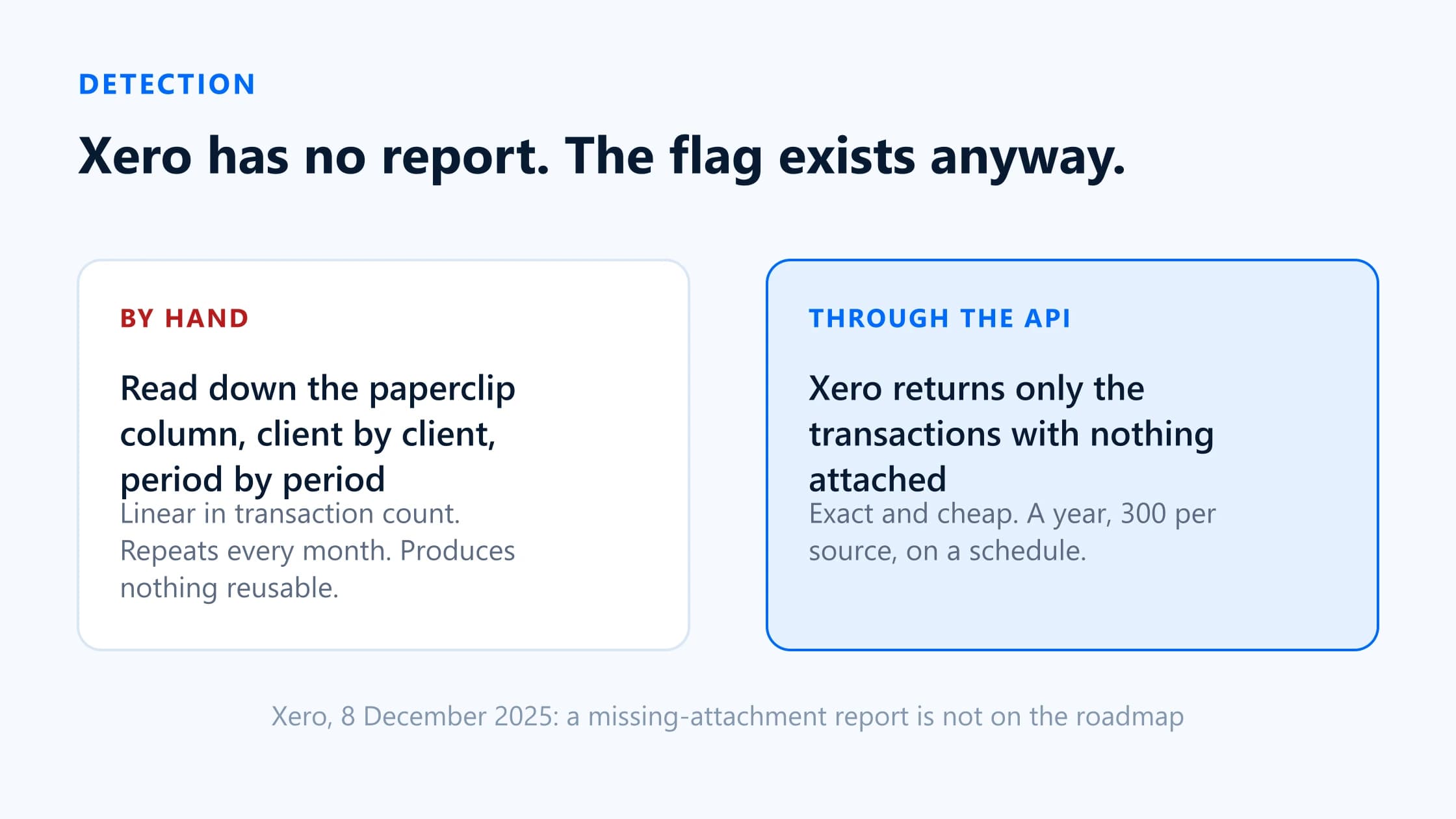
No. Xero has no report that lists transactions with no attachment.The request has been open on Xero’s product-ideas forum since August 2023, and on 8 December 2025 a Xero community manager replied that “right now, this isn’t in the teams roadmap”, while saying Xero would keep tracking interest in it.
You can still find them. By hand, that means scanning the paperclip column in Bank transactions and the attachment count in Bills, one client and one period at a time. Programmatically it is exact and cheap, because Xero’s API does expose an attachment flag per transaction — the fact is available, it is only the reporting surface that is missing.
Can Xero report transactions with no attachment?
No — and it is worth being precise about the shape of the gap, because it determines which workarounds are viable.
Xero’s reporting tool has no filter for the presence or absence of an attachment. Neither does the search in Bank transactions. There is no “Transactions without files” report, no saved-search equivalent, and no way to add attachment status as a column to an existing report.
The idea has been formally raised. “Reports — Generate a report for transactions without receipts attached” was submitted in August 2023 and has accumulated votes and comments from auditors, bookkeepers and business owners since. The official Xero response, posted on 8 December 2025, acknowledges the need and then declines it for now: not on the roadmap, interest being tracked, no commitment.
The data exists; the report does not
This is the part that is easy to miss. Xero’s API exposes an attachment flag on a transaction, so a connected application can ask Xero directly for the entries that have nothing attached and get back only those. The search is exact rather than inferred, and it is cheap because Xero does the filtering rather than the app reading everything and comparing.
That is a meaningful difference from some other ledgers. For comparison, both QuickBooks Online and FreeAgent have no equivalent per-transaction flag, so a tool has to read the transactions in the window and check each one against the attachment list. Same answer, more work per sync. Sage Accounting, like Xero, can filter down to the records with nothing attached.
Manual ways to check
All of these work. All of them are linear in the number of transactions, which is the problem.
Scan the paperclip in Bank transactions
Open the bank account, go to the reconciled or all-tab list for the period, and read down the attachment indicator. Entries carrying a file show a paperclip. Practical up to a few dozen transactions a month per client. Note that a payment reconciled against a bill shows no paperclip on the bank line even when the bill itself has the invoice attached, so this method over-reports.
Work through the Bills list
The Bills screen shows an attachment count per bill, which makes a visual scan faster and less error-prone than the bank view. It only covers what was entered as a bill, so anything paid directly from the bank feed and coded straight to an expense account is invisible here.
Reconcile against the file library
Xero’s file library lists uploaded files, so you can compare what has been uploaded against what has been spent. This finds files that were uploaded but never attached to anything — a real and separate problem — but it is a poor way to find transactions with nothing at all.
Export and cross-check in a spreadsheet
Export the account transactions, export or list what you hold, and match on date and amount. This is the most common home-grown approach. It is also the most fragile: it breaks on part-payments, on suppliers whose invoice date differs from the payment date, and on anything paid in a batch.
Where each one stops working
| Attribute | Covers | Misses | Breaks down at |
|---|---|---|---|
| Paperclip scan | Spend money on the bank feed | Bills paid off the feed appear undocumented even when the bill has the invoice | Roughly 50 transactions per client per period, or the second client |
| Bills list | Anything entered as a supplier bill | Card spend and direct debits coded straight from the bank feed | Practices where most spend never becomes a bill |
| File library reconciliation | Uploaded-but-unattached files | Transactions with no file anywhere | Immediately, for this particular question |
| Spreadsheet cross-check | Everything, in principle | Part-payments, batched payments, date mismatches between invoice and payment | The first month somebody other than its author has to run it |
Paperclip scan
- Covers
- Spend money on the bank feed
- Misses
- Bills paid off the feed appear undocumented even when the bill has the invoice
- Breaks down at
- Roughly 50 transactions per client per period, or the second client
Bills list
- Covers
- Anything entered as a supplier bill
- Misses
- Card spend and direct debits coded straight from the bank feed
- Breaks down at
- Practices where most spend never becomes a bill
File library reconciliation
- Covers
- Uploaded-but-unattached files
- Misses
- Transactions with no file anywhere
- Breaks down at
- Immediately, for this particular question
Spreadsheet cross-check
- Covers
- Everything, in principle
- Misses
- Part-payments, batched payments, date mismatches between invoice and payment
- Breaks down at
- The first month somebody other than its author has to run it
The friction is not the individual scan; it is that the scan is per client, per period, forever, and produces nothing reusable. Ten clients at twenty minutes each is a little over three hours a month spent generating a list, before a single client has been asked for anything. Put your own figures through the cost calculator if you want the annual number.
Turn missing attachments into a worklist
A list is only useful if it becomes work. The step that actually saves time is not the detection — it is that each detected transaction turns into a request line the client can answer, and then back into an attachment on the original entry once you have approved it.
Against a Xero organisation, BilagPilot does this as follows.
- Sync.An owner approves BilagPilot for one Xero organisation. A scheduled sync reads bank transactions of type Spend and supplier bills, using Xero’s attachment flag so only undocumented entries come back. One run covers a year, up to 300 per source, and everything it could not reach is named in the sync report rather than silently dropped.
- Filter.Only posted transactions count. Drafts, deleted and voided entries are skipped, as are transfers between the client’s own accounts and payments that settle a bill already on file.
- Request. Each transaction becomes a line carrying its date, amount and counterparty. You can add items manually for anything you know is missing before the ledger does.
- Collect. One secure, expiring link per client covers every open item. No client login.
- Review. You approve or reject each file. Nothing reaches Xero without that step.
- Attach.Approved files go onto the bank transaction or bill they belong to, visible in Xero straight away, within Xero’s own limits of ten attachments per transaction at 10 MB each.
What to do when no receipt exists
Some transactions will never have a document. The card was tapped at a car park machine, the supplier emailed nothing, the client lost it in June. A workflow that treats this as failure leaves items open forever and makes your completion figures meaningless.
Model it as its own outcome, alongside “received” and “still waiting”. What the file needs is a record of four things:
- That you asked, with the date and the channel.
- How many times you asked, and when the last reminder went.
- What the client said — in their own words, stored against the item rather than buried in an email thread.
- What the payment was for, so the entry can be dealt with on the basis of an explanation rather than a guess.
Give the client a way to say this on the same page they would have uploaded to. If the only option is uploading a file, a client with no file simply does not reply, and you cannot tell that apart from a client who is ignoring you. BilagPilot has explicit responses for this, including “no longer available” and “already sent”, and each one carries the client’s explanation into the audit trail. Items can be closed as not needed, so the period can complete honestly.
Sources
Everything on this page that describes another company’s product, or a rule set by HMRC, comes from that organisation’s own published material. Each entry below records the date this page last checked it, because these change without notice.
- Reports — Generate a report for transactions without receipts attached (Xero response, 8 December 2025)
Xero Product Ideas · checked 17 August 2026
- Attach a file to a transaction
Xero Central · checked 17 August 2026
- Upload a file to the file library
Xero Central · checked 17 August 2026
- BilagPilot integrations: how each ledger exposes missing attachments, and the per-transaction limits
BilagPilot · checked 17 August 2026
Keep reading
How to Automate Client Document Requests in Xero
What to do with the list once you have it: request wording, reminder cadence, review and filing back.
Read itXero Client Chasing Software
The six stages a chasing tool has to cover, and which of them Xero already does for you.
Read itBilagPilot vs Chazy
The other Xero app that starts from undocumented transactions, and how far each one will go without you.
Read itGet the list Xero will not report on
BilagPilot reads Xero's per-transaction attachment flag on a schedule, so the undocumented spend transactions and bills arrive as a worklist instead of a scan. Each one becomes a request line, and each approved document goes back onto the transaction it belongs to.
No card required. Nothing is charged automatically.