How to Automate Client Document Requests in Xero
This is a working procedure, not an overview. It covers the exact wording to send, the cadence to send it on, and what to do with the three replies that break most workflows: the partial upload, the wrong file, and the receipt that genuinely no longer exists.
If you want the background on what the category should do and what Xero covers natively, read Xero client chasing software first. This page assumes you have decided to fix the process.
Short answer
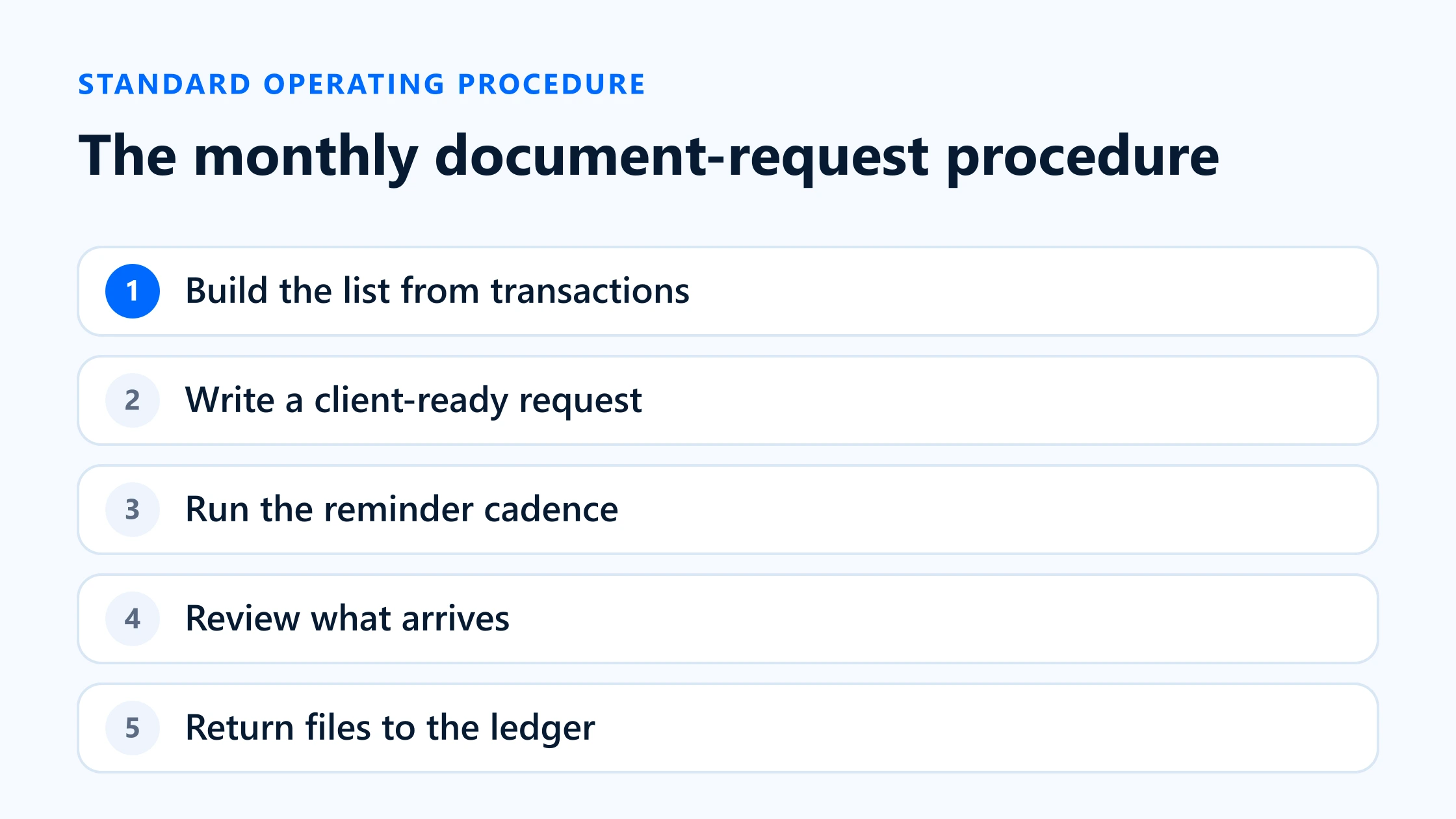
To automate document requests in Xero properly, build the request from the ledger rather than from memory, send one link that covers every open item, and let a schedule do the reminding. In practice that is five steps: pull the undocumented transactions, turn each one into a line the client can recognise, send a single request, run a fixed reminder cadence, then review each file before it goes back onto the transaction.
Xero’s own Ask queries can carry steps two and three if your clients will log in to Xero. Steps one, four and five have no native equivalent, so those are the ones to automate first.
Start with transactions, not a generic list
The most common version of this process starts with an email saying “please send anything outstanding for Q1”. It fails for a structural reason: it asks the client to do the reconciliation. They do not know what is outstanding — you do, or at least your ledger does.
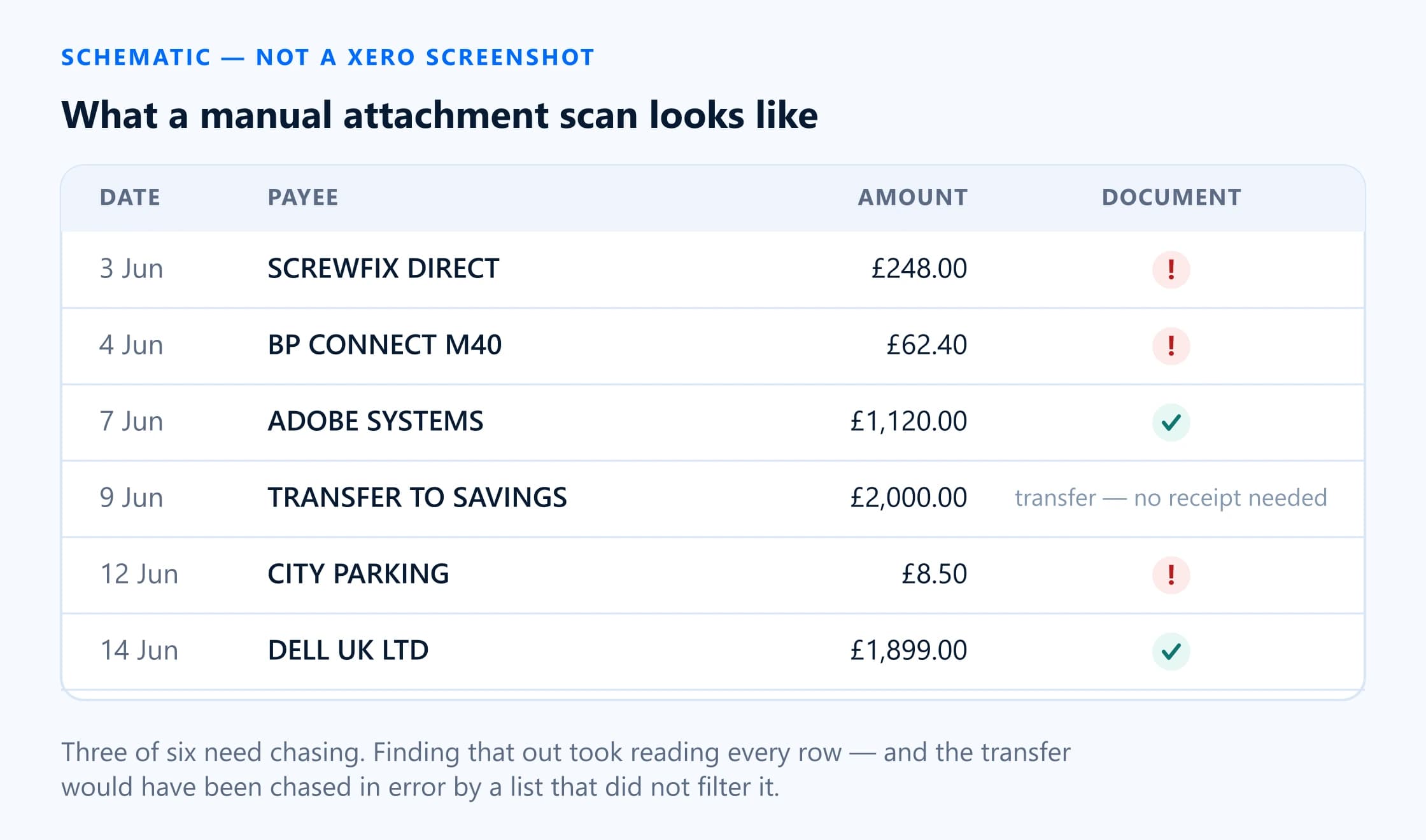
So step one is to produce the list. In Xero this is awkward, because there is no report for transactions without an attachment; Xero confirmed in December 2025 that one is not on its roadmap. Your options are:
- Check by eye in Bank transactions. Xero shows a paperclip against entries that carry a file. Workable for a client with thirty transactions a month, unworkable at three hundred, and it has to be repeated every period.
- Work from the Bills list. Bills show an attachment count, so a scan here is faster than for spend money. It still misses everything paid straight from the bank without a bill.
- Read the attachment flag through the API. Xero exposes it per transaction, which is how a connected app returns only the undocumented ones. This is the only option that stays accurate as volume rises.
Build a client-ready request
A request works when the client can answer it from their phone without opening anything else. That sets a hard requirement on what each line contains and how the whole thing is delivered.
What each line must carry
- Date as it appears on their statement, not the posting date if they differ.
- Amount with the currency symbol.
- Payee or supplier exactly as the bank feed rendered it, including the messy card-descriptor version. That string is what they will recognise.
- Which account it came out of, if the client has more than one.
- What you need — a VAT invoice, a receipt, or just an explanation. Saying so removes a round trip.
The first request
Keep it short, put the deadline in the first two lines, and make the link the only thing to click. This wording is deliberately tax-neutral so it works whether the client is under VAT, GST or sales tax:
Subject: [n] receipts needed for [period] — 5 minutes
Hi [First name],
We are finishing your bookkeeping for [period] and there are [n] payments we do not have paperwork for yet. Could you send them over by [deadline]?
Everything is on one page — no login needed, and you can photograph receipts straight from your phone:
[secure link]
If a receipt no longer exists, mark it on the same page and tell us what the payment was for. That is usually enough for us to deal with it correctly.
Thanks,
[Your name], [Firm]
Delivering it
One link per client, covering every open item across periods, beats one link per request. Clients do not think in your periods, and three links in an inbox means two of them get ignored. BilagPilot deliberately combines a client’s eligible open requests behind a single link for exactly this reason. If your tool cannot do that, send the oldest period first and hold the rest.
Automate reminders without harming the relationship
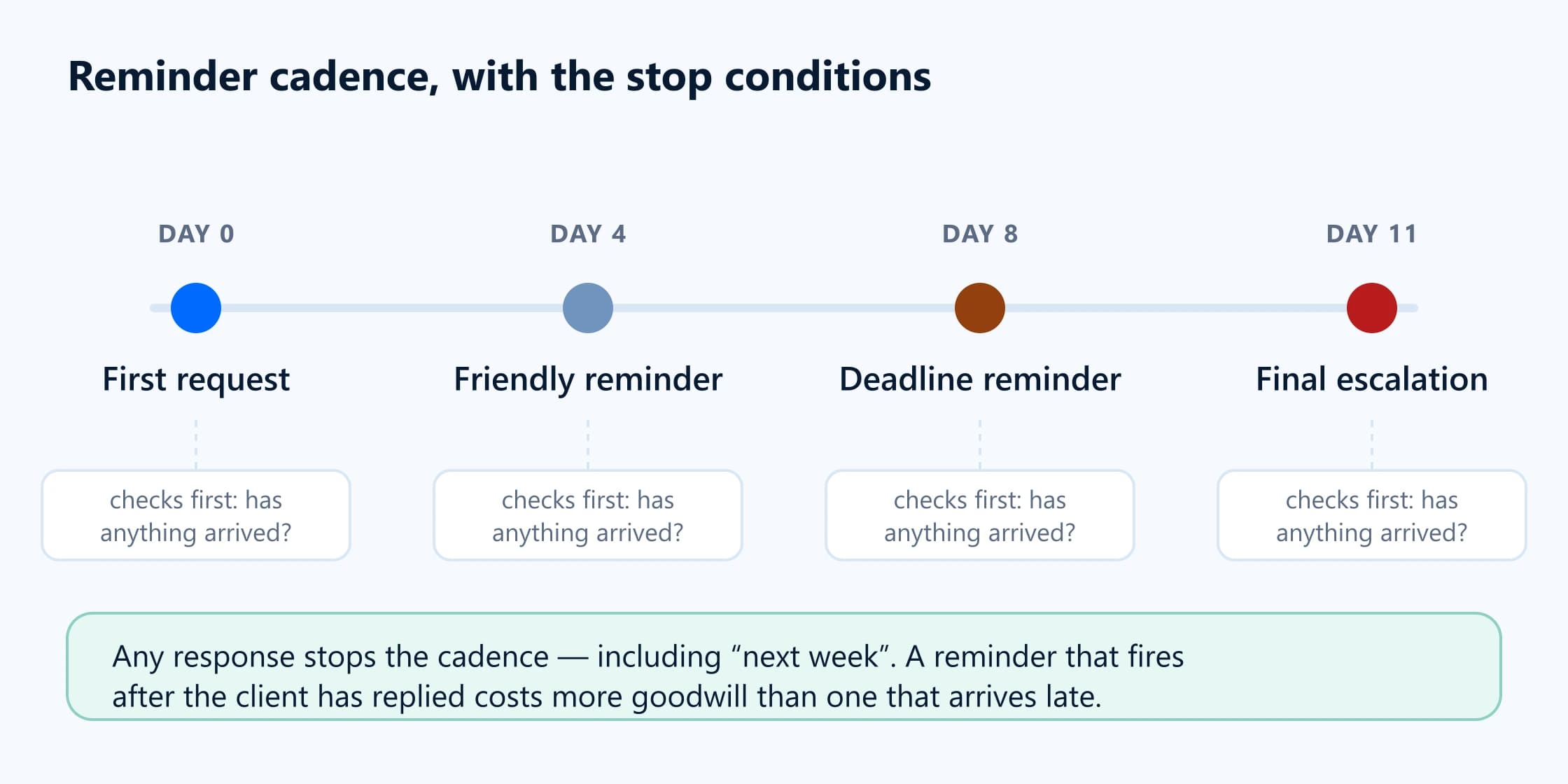
The point of a cadence is that nobody at the firm has to decide whether today is the day to nag a client. Fix it in advance, let it run, and let it stop itself when the items arrive.
| Attribute | When | Tone | What changes |
|---|---|---|---|
| First request | Day 0, as soon as the list exists | Neutral, helpful | Count of items, deadline, link. No apology, no explanation of why you need them. |
| Friendly reminder | Day 4–5, only if nothing has arrived | Light, assumes it was missed | Same link. Add the count still outstanding — if they sent three of eleven, say eight, not eleven. |
| Deadline reminder | 2 working days before the deadline | Direct, consequence-aware | State what happens if it is late: the return goes in without the deduction, or the work moves to next month. |
| Final escalation | Day 1–2 after the deadline | Formal, on the record | Copy the client's decision-maker. Offer the 'no receipt exists' route explicitly. State what you will do next. |
First request
- When
- Day 0, as soon as the list exists
- Tone
- Neutral, helpful
- What changes
- Count of items, deadline, link. No apology, no explanation of why you need them.
Friendly reminder
- When
- Day 4–5, only if nothing has arrived
- Tone
- Light, assumes it was missed
- What changes
- Same link. Add the count still outstanding — if they sent three of eleven, say eight, not eleven.
Deadline reminder
- When
- 2 working days before the deadline
- Tone
- Direct, consequence-aware
- What changes
- State what happens if it is late: the return goes in without the deduction, or the work moves to next month.
Final escalation
- When
- Day 1–2 after the deadline
- Tone
- Formal, on the record
- What changes
- Copy the client's decision-maker. Offer the 'no receipt exists' route explicitly. State what you will do next.
Three rules keep this from becoming corrosive. First, consolidate: one message per client per stage, never one per item. Second, always show progress — a client who sent six of eleven and gets a reminder saying eleven concludes you are not paying attention. Third, stop on any response, including a reply saying “next week”. A reminder that fires after the client has answered costs more goodwill than one that arrives late.
If your clients respond better to text, run the same cadence over SMS with shorter copy. Ready-made versions of all five messages, including SMS, are in the reminder template generator.
Review and return documents to Xero
Collection is not the finish line. What arrives has to be checked, and then it has to end up on the right Xero entry. This is where most home-grown processes leak time, because the files land in an inbox or a shared folder and somebody files them by hand afterwards.
Check four things before accepting a file
- Is it the right document? A delivery note, an order confirmation and a statement are not invoices.
- Does it match the transaction? Date, amount and supplier. A near miss on amount is usually a partial payment or a different transaction entirely.
- Is it readable? The total, the date, the supplier and the tax amount all have to be legible, including on the third photograph of a faded till receipt.
- Is it complete? Multi-page invoices photographed one page at a time are the single most common partial upload.
Handling the three awkward replies
Partial upload
Treat the request as still open and let the same link keep working. Do not send a fresh link — the client will re-upload what they already sent. Your next reminder should name only what is left. If a multi-page document arrived in pieces, accept the pieces and combine them yourself rather than asking again; Xero holds up to ten attachments per transaction, so several pages is usually fine.
Wrong or unreadable file
Reject it with a reason, and make sure the rejection reaches the client with the reason attached. “This is the delivery note — we need the invoice with the VAT shown” gets the right file next time. “Rejected” gets you the same file again. The item must reopen so it re-enters the cadence rather than sitting silently closed.
The receipt genuinely does not exist
This is a legitimate outcome, not a failure, and it needs a state of its own. Record that the client was asked, when, and what they said the payment was for. The treatment of an undocumented expense is a matter for your professional judgement and the rules in your jurisdiction — this page does not advise on it. What the workflow owes you is the evidence that you asked and the client’s explanation, in the file, dated.
Getting it back into Xero
The approved file belongs on the bank transaction or bill it relates to. Xero’s own limits apply: up to ten attachments per transaction, 10 MB per file, and PDF, PNG, JPG, GIF or TIFF. Anything else has to be converted first. Xero also has nowhere to put a document for a transaction that does not exist yet — an attachment lives on a record — so a receipt that arrives before the entry has to be held until the entry is booked.
Monthly workflow checklist
The whole procedure, condensed to something you can put in a practice manual. Times assume a client with roughly 150 transactions a month; scale accordingly.
| Attribute | Working day | Action | Automatable? |
|---|---|---|---|
| Produce the list | 1 | Sync or scan the period for posted transactions with no attachment. Filter out transfers, bill payments and fees. | Yes — scheduled sync. No native Xero report. |
| Send the first request | 1 | One link per client covering every open item. Count and deadline in the subject line. | Yes. |
| Friendly reminder | 5 | Only to clients with items still open. Show the remaining count, not the original. | Yes. |
| Review what has arrived | 6–7 | Approve, reject with a reason, or ask for clarification. Rejections reopen the item. | Partly. The decision stays human; the routing and notification do not. |
| Deadline reminder | 8 | Two working days out. State the consequence. | Yes. |
| Final escalation | 11 | Copy the decision-maker. Offer the 'no receipt exists' route explicitly. | Yes, with a human check before it sends. |
| Close the period | 12 | Every item approved or marked unavailable with a reason. File the audit trail. | Yes for the state; no for the judgement. |
Produce the list
- Working day
- 1
- Action
- Sync or scan the period for posted transactions with no attachment. Filter out transfers, bill payments and fees.
- Automatable?
- Yes — scheduled sync. No native Xero report.
Send the first request
- Working day
- 1
- Action
- One link per client covering every open item. Count and deadline in the subject line.
- Automatable?
- Yes.
Friendly reminder
- Working day
- 5
- Action
- Only to clients with items still open. Show the remaining count, not the original.
- Automatable?
- Yes.
Review what has arrived
- Working day
- 6–7
- Action
- Approve, reject with a reason, or ask for clarification. Rejections reopen the item.
- Automatable?
- Partly. The decision stays human; the routing and notification do not.
Deadline reminder
- Working day
- 8
- Action
- Two working days out. State the consequence.
- Automatable?
- Yes.
Final escalation
- Working day
- 11
- Action
- Copy the decision-maker. Offer the 'no receipt exists' route explicitly.
- Automatable?
- Yes, with a human check before it sends.
Close the period
- Working day
- 12
- Action
- Every item approved or marked unavailable with a reason. File the audit trail.
- Automatable?
- Yes for the state; no for the judgement.
Sources
Everything on this page that describes another company’s product, or a rule set by HMRC, comes from that organisation’s own published material. Each entry below records the date this page last checked it, because these change without notice.
- Attach a file to a transaction
Xero Central · checked 17 August 2026
- Ask in Xero Partner Hub
Xero Central · checked 17 August 2026
- Reports — Generate a report for transactions without receipts attached (Xero response, 8 December 2025)
Xero Product Ideas · checked 17 August 2026
- BilagPilot integrations: Xero attachment limits, file types and transaction types covered
BilagPilot · checked 17 August 2026
Keep reading
How to Find Xero Transactions Without Attachments
Step one of this SOP in detail: the manual routes, their limits, and what the Xero API exposes that the reports do not.
Read itMissing Receipt Reminder Email Templates
Generate the five messages in this SOP with your firm name, client, period, deadline and link filled in.
Read itHow to Chase Clients Without Endless Emails
The reasoning behind the cadence here, the exception states to model, and the six numbers that tell you it is working.
Read itSecure Client Document Upload Without Login
What has to be true of the upload link in step three before you send it to a client with their financial records on it.
Read itRun this SOP without doing the manual parts
BilagPilot builds the transaction list out of Xero, sends one link per client, runs the reminder cadence, holds every file for your review, and attaches the approved ones back onto the transaction. The procedure below stays the same — the typing goes away.
No card required. Nothing is charged automatically.